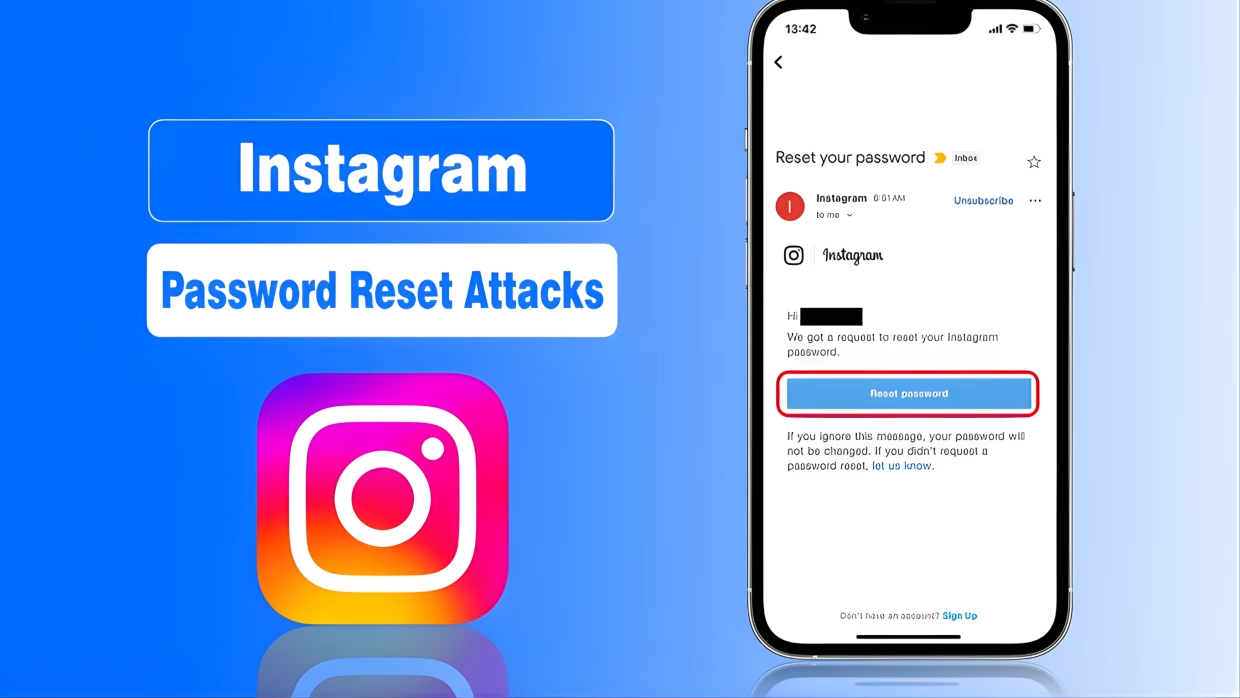
At this time, hackers of every stripe are taking advantage of Instagram users, and the very first thing, right now, that you should be checking for is whether the most recent password reset email (or SMS message) that you received was legitimate and came from Instagram.
As you can see, cybercriminals have been abusing Instagram’s password reset systems in order to carry out account hijackings and data thefts against the likes of real owners.
This page will provide you with an explanation of how this type of attack works, what to check for right now, and how to protect/secure yourself against hackers stealing your Instagram account before it happens.
What Instagram Password Reset Attacks Are
Instagram Password Reset Attacks Are Rising – Check This Now
Instagram password reset attacks are simply attempts to take over accounts using Instagram’s password recovery system by deceitfully obtaining someone else’s credentials and changing their account information before the victim even knows they are being attacked.
Why are there so many attacks for resetting Instagram passwords?
Why are there so many attacks for resetting Instagram passwords?
There are a number of reasons why attacks to reset Instagram passwords have increased:
Data Breaches:
With all the data breaches that have occurred over the past few years, the email address associated with your Instagram profile is on the dark web where hackers can easily target you.
Weak security on millions of accounts:
Over 1 million accounts on Instagram use the same password (or a variation of), many people do not enable 2-factor authentication (2FA), and there are over 1 million users who access their accounts using public wifi.
The automation of attack tools:
Hackers are now using automated bots to initiate thousands of password resets, so they are able to test phishing attacks on a large scale.
High value accounts:
Business accounts, influencer accounts, and verified user accounts are some of the highest value accounts on Instagram due to the amount of money that these accounts are able to make.
If recently you’ve received several password reset e-mails in a short period of time, received texts with codes that you didn’t request, received notifications of logging into Instagram from places you haven’t, had things happen where you suddenly logged out of your account unexpectedly, and if a lot of your followers started receiving fraudulent direct messages as though they were from you… think of this as experiencing a potential password reset attack! Don’t take these signals lightly & take action as soon as possible!
How Hackers Deceive Users When Conducting Password Reset Attacks
Phishing Lookalike Websites:
Fake Instagram log-in sites are set up to look just like the legitimate login site, but they’re designed to get your user name & password.
Social Engineering Tactics:
Conveying messages that claim, for example, “Your Instagram account has been suspended” or warning you that “Suspicious activity on your Instagram page has been detected.” Creating fear & urgency will cause most users to quickly panic & react.
SIM Swap Attacks:
The criminal takes over your phone number so that any password reset requests go directly to them.
Step-by-Step: How to Protect Your Instagram Account Now
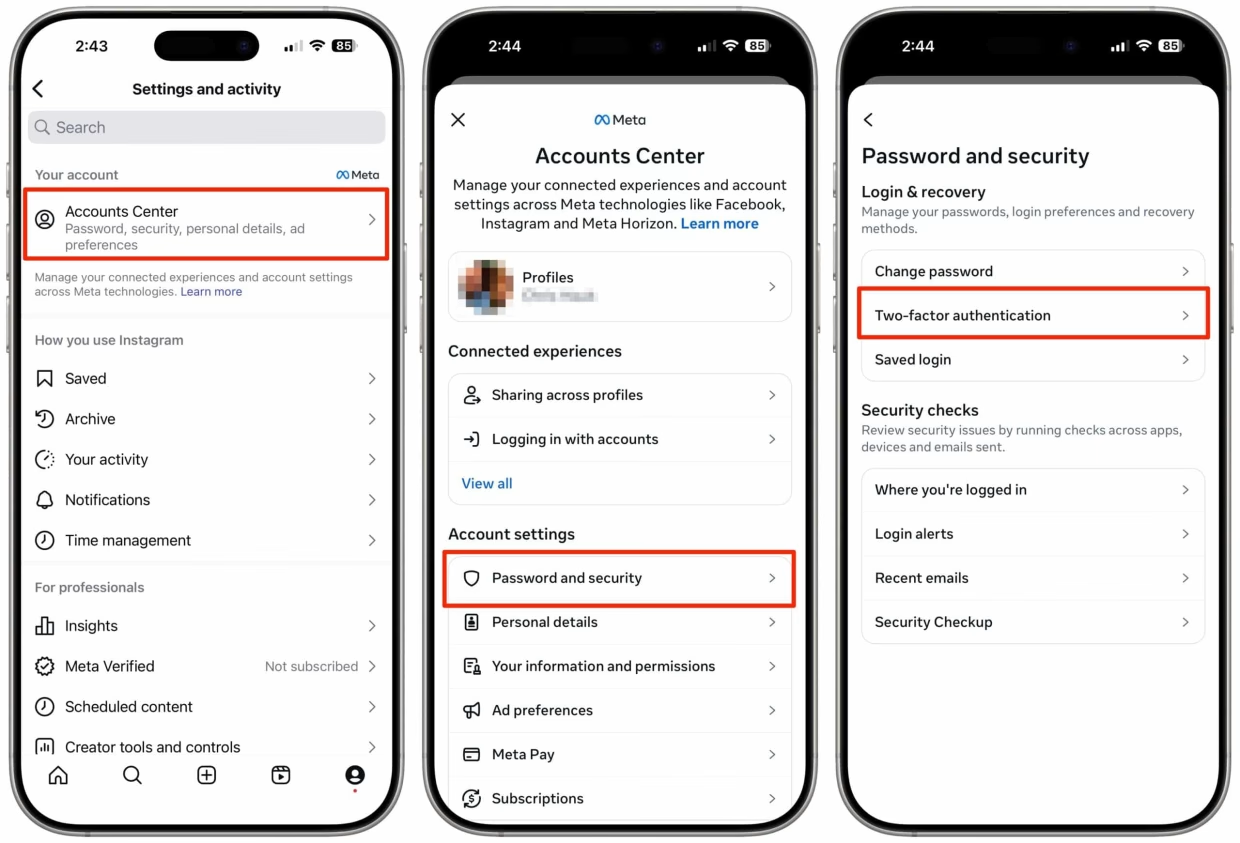
🔐 1. Enable Two-Factor Authentication (2FA)
Use an authenticator app, not SMS.
Go to:
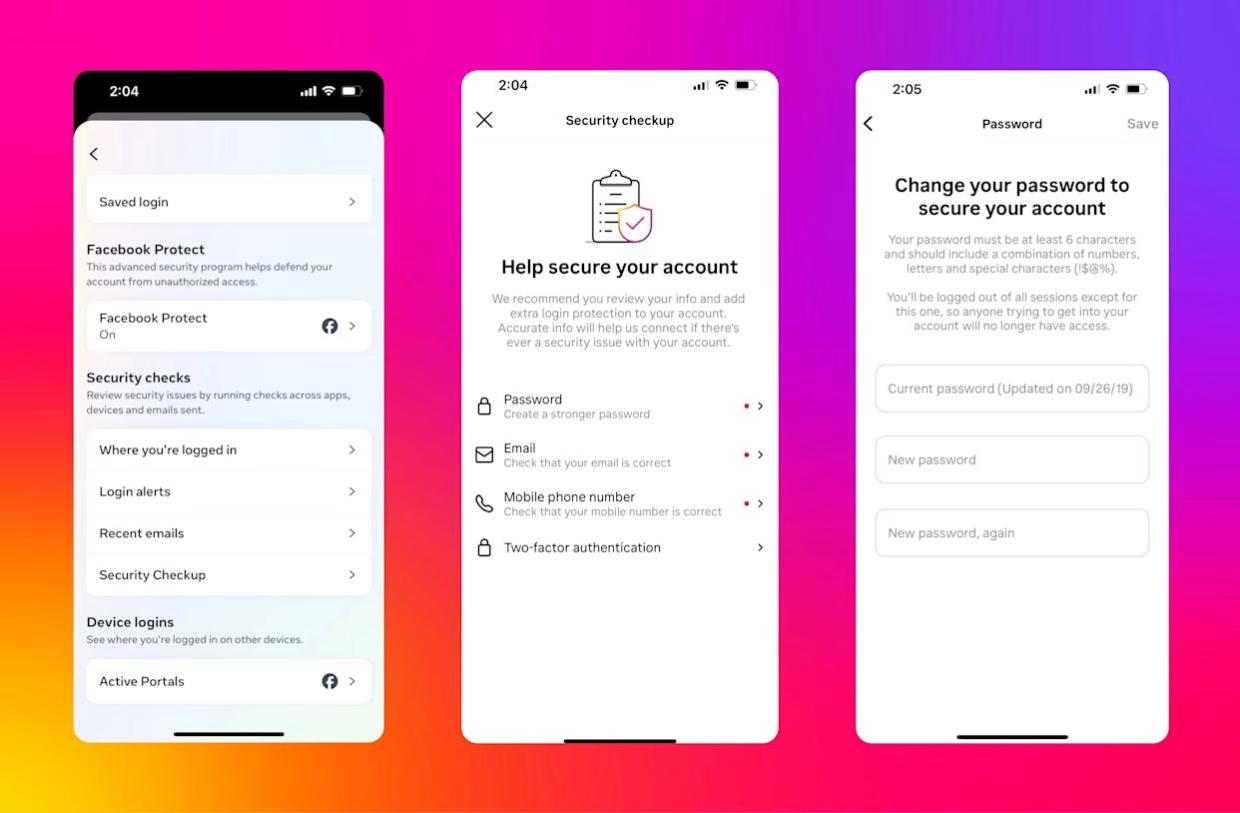
Settings → Security → Two-Factor Authentication
Step-by-Step: How to Protect Your Instagram Account Now
Recommended apps:
Google Authenticator
Authy
🔑 2. Change Your Password Immediately
Use a unique, strong password:
Minimum 12 characters
Mix of letters, numbers & symbols
Never reused elsewhere
📧 3. Secure Your Email Account
Your Instagram is only as safe as your email.
Change email password
Enable 2FA on email
Review login activity
🧠 4. Remove Suspicious Third-Party Apps
Go to:
Settings → Security → Apps and Websites
Remove anything you don’t recognize.
📱 5. Turn On Login Alerts
Enable alerts for:
New devices
New locations
This gives early warning before takeover.
What To Do If Your Instagram Is Already Compromised
Once you have determined that your Instagram account has actually been hacked (this includes all of the above – hacked emails accounts, phone numbers, etc.), you will need to log into your Instagram account.
Log Into Your Instagram Account Once you’ve determined that your Instagram account has been hacked… You will want to follow these steps:
Go to Instagram Login Page
Click on “Forgot Password?”
Click on “Need More Help?”
Follow the Account Recovery Process
Verify Your Identity (Selfie Video If Requested)
⚠️ Be aware that account recovery could take several days to complete – and being quick to recover your account is very important.
Instagram’s Official Security Tips Instagram Confirms:
They Will Never Ask For Your Password(s) in Direct Messages
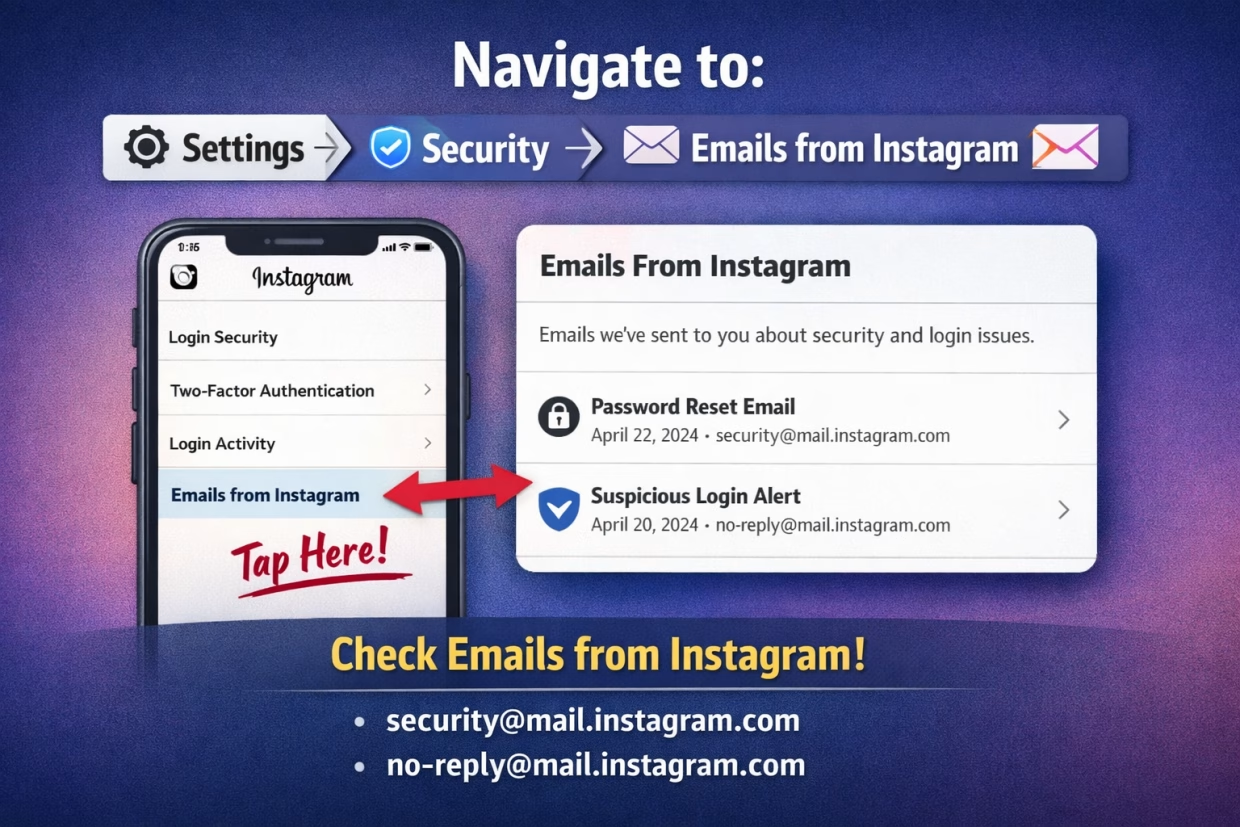
An Email from Instagram will always come from the Instagram email address
Report Phishing Immediately
You Can Report Suspicious Messages Within the Instagram App to Help Protect Others
Why Our Guide is Different Unlike general articles, this guide focuses on:
Current Attack Patterns
Actionable Verification Steps
Simplified Explanations of Attacks
Aligning with Instagram’s Official Security Tools
Creators, Businesses, and Personal Users Alike
✅ Conclusion
Every day there are more than a few incidents of Instagram password reset attacks targeting regular users, creators or businesses. Fortunately, most incidents can be prevented if you know how to identify them. By confirming whether password reset emails are coming directly from Instagram, using strong two-factor authentication, and securing your email account, you can significantly help protect yourself from losing access.
❓ Frequently Asked Questions (FAQ)
What are Instagram password reset attacks?
Instagram password reset attacks are attempts by hackers to take over accounts by abusing or faking Instagram’s password recovery process. Attackers send fake reset emails or links to trick users into revealing login credentials or approving unauthorized password changes.
How do I know if a password reset email is really from Instagram?
Legitimate Instagram emails only come from [email protected] or [email protected]. You can also verify real messages inside the app by going to Settings → Security → Emails from Instagram.
Why am I receiving multiple Instagram password reset emails?
Multiple reset emails usually mean someone is trying to access your account. Hackers often trigger repeated reset requests to confuse users or push them into clicking a fake phishing link.
Can hackers access my Instagram without my password?
Yes. Hackers can gain access through phishing links, SIM swap attacks, or compromised email accounts—even without knowing your original Instagram password.
What should I do if I clicked a fake Instagram reset link?
Immediately change your Instagram password, secure your email account, enable two-factor authentication (2FA), and review login activity. If locked out, use Instagram’s account recovery option right away.
Does Instagram ever send password reset links via DM?
No. Instagram will never send password reset links or ask for your password through direct messages. Any DM claiming to be Instagram support is a scam.
How can I permanently protect my Instagram account from reset attacks?
Enable app-based 2FA, use a strong unique password, secure your email account, remove unknown third-party apps, and turn on login alerts for new devices and locations.
Are business and creator accounts more at risk?
Yes. Business, creator, and verified accounts are targeted more frequently because they can be monetized or sold after being hacked.
Can Instagram recover a hacked account?
Yes, but recovery can take time. Users must verify their identity using Instagram’s recovery process, which may include email verification or a selfie video.
Is it safe to ignore Instagram reset emails I didn’t request?
Yes—as long as you don’t click any links. However, repeated reset emails are a warning sign, and you should secure your account immediately.