
- Introduction
- Google Is Loading AI Features Into Gmail: What’s Really Changing?
- All the New AI Features Coming to Gmail
- The Future of Email Management: Introduction to Gmail’s AI Inbox
- Smart Compose and AI Writing Assistant (Even Smarter Now)
- Gmail AI Technology Compared with Other Email Providers
- Conclusion
- ❓ FAQs
Introduction
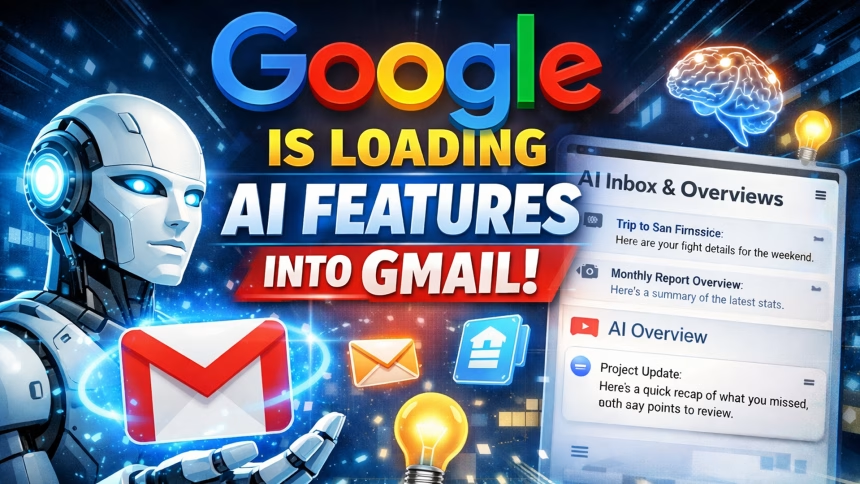
Google is rolling out artificial intelligence functionality in Gmail through its features such as AI Inbox, AI Overviews, and many more. In a nutshell, Gmail is being transformed into a smart artificial intelligence assistant capable of such tasks as highlighting the key points in long email conversations, focusing you on what matters, assisting you in composing more effective responses, and even looking ahead to what you intend to do next.
Google Is Loading AI Features Into Gmail: What’s Really Changing?
Google has been working behind the scenes to evolve Gmail from a standard mail client to a smart communications platform. This is enabled by Google Gemini intelligent machine learning models and aims to alleviate email overload and enhance productivity and personalization within the inbox.
Rather than manually having to sort, read, and respond to multiple emails, the use of AI in Gmail helps with the thinking involved in these tasks, always ensuring you remain in command.
All the New AI Features Coming to Gmail
The look of the AI-powered Gmail Inbox is almost identical to the Inbox by Gmail app that was introduced by Google in 2014 and was subsequently shut down in 2019. The AI-powered Inbox by Gmail allowed priority highlights and a task-oriented inbox to quickly take actions. Moreover, with the Gemini 3 AI reasoning system, the AI-powered Gmail Inbox displays the actions and priority with meaning rather than a message list.
With the help of AI, the Gmail AI Inbox now looks for signals such as frequent and saved contacts to suggest essential emails. Priority emails like bills and health reminders are automatically brought to the top. According to Google, this processing takes place with strong security and privacy policies in place. AI Inbox is now live with trusted testers and will be rolled out later this year.
Aside from this feature, Google is also implementing AI Overviews in their popular emailing service, Gmail. The emailing service is capable of automatically creating a summary of long threads of emails into key points. Moreover, this service enables users to question directly in their search box, and it will fetch all essential information from their emails.
AI Overview is now free for all users. Nevertheless, Google AI Pro and Google AI Ultra subscribers in the US alone can access asking natural-language questions in Gmail.
Read also: Waze Icons & Symbols Explained: Your Ultimate Guide to Smarter Navigation
The Future of Email Management: Introduction to Gmail’s AI Inbox
The AI Inbox is among the greatest improvements that have occurred to the Gmail account.
What is AI Inbox?
=====================
AI Inbox employs Artificial Intelligence to infer your behavior based on which emails are opened, replied to, ignored, or archived, then uses that information to organize your inbox.
Core Advantages of AI Inbox
- Automatically flags key mails
- Puts low-priority messages out of focus
- Learns from your habits over time
- Eliminates inbox clutter without manual filtering
In contrast to traditional Inbox Rules, AI Inbox is dynamic. In the event of a change of priorities on your side, the system will adapt itself accordingly.
Why it matters: For professionals, creatives, and entrepreneurs primarily, AI Inbox can help alleviate hours spent every week by filtering out unwanted email noise.
Read also: What do the Symbols and Icons Mean on Instagram
Smart Compose and AI Writing Assistant (Even Smarter Now)
The Smart Compose feature on Gmail is not new, but AI has elevated it to a completely different level.
*What’s Improved
- More natural, human-like suggestions must therefore
- In-thread response based on the whole thread
- Tone adjustment (formal, friendly, concise)
- Personalized writing style over time
style=”text
“Google’s AI is now capable of writing complete answers instead of only making sentence recommendations.” It was explained that while you will still be editing and reviewing the text, the “grunt work will be over and done with in an instant.”
This is a massive advantage for users that have difficulties expressing the wording or take too long to respond to mails.
Gmail AI Technology Compared with Other Email Providers
Although some other tools such as Outlook and other emailing software are integrating AI, Google is currently leading because of:
Read Also: What Do WhatsApp Icons Mean? Guide to Symbols & Their Meaning
Integration with Google Workspace
- Using Netbox
- Powerful Gemini AI models
- User behavior data for multiple years (used effectively)
- Full Website and Mobile Experience
Google’s use of AI in their free emailing service, Gmail, feels less like an add-on or a gimmick, but rather a necessary next step
Conclusion
Google is integrating AI tools into the service of Gmail through AI-Inbox, AI Overviews, and many other tools that are not simply cosmetic changes but a whole new paradigm for the daily activity of emailing.
Removing noise, providing context, or helping with writing, Gmail’s AI capabilities give users back the one resource that matters most to them – time.
As AI technologies are constantly developing, Gmail is positioning itself not only as an email service, but as an intelligent communication assistant for the modern world.
“If you use email on a daily basis, these changes aren’t optional — they’re the future.”
❓ FAQs
It means Gmail now uses advanced AI to summarize emails, prioritize important messages, assist with writing replies, and improve search inside the inbox.
AI Inbox automatically highlights important emails and reduces clutter by learning from your email behavior and prioritizing messages intelligently.
AI Overviews summarize long email threads, showing key points, decisions, and action items so users can understand conversations instantly.
Yes. Google states that Gmail AI respects user privacy settings, does not use emails for ads, and allows users to control or disable AI features.
Professionals, remote workers, business owners, students, and anyone managing high email volumes benefit the most from Gmail’s AI tools.
Some AI features are free, while advanced capabilities may be part of Google Workspace or premium AI plans depending on region and account type.