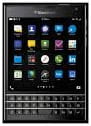
Using your BlackBerry Passport, you can quickly and easily take screenshots.
This tutorial will walk you through how to do so.
Take a Screenshot Using BlackBerry Passport
In order to take a screenshot on your BlackBerry Passport, simultaneously press the Volume Up and Volume down keys. The image will be saved in your photo gallery where you can access them: