



The YouTube app on your Android device retains your search history, much like the desktop version of the website. Clearing this history is fairly simple, and this tutorial will walk you through the necessary steps.
Erase YouTube App’s Search History on Android
Open your Youtube app, and tap Menu > Settings > Search :

Tap Clear search history > OK:
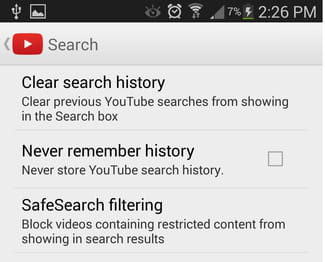
N.B. If you don’t want your app to ever keep track of your search history, you can disable this feature by checking the box next to Never remember history.





