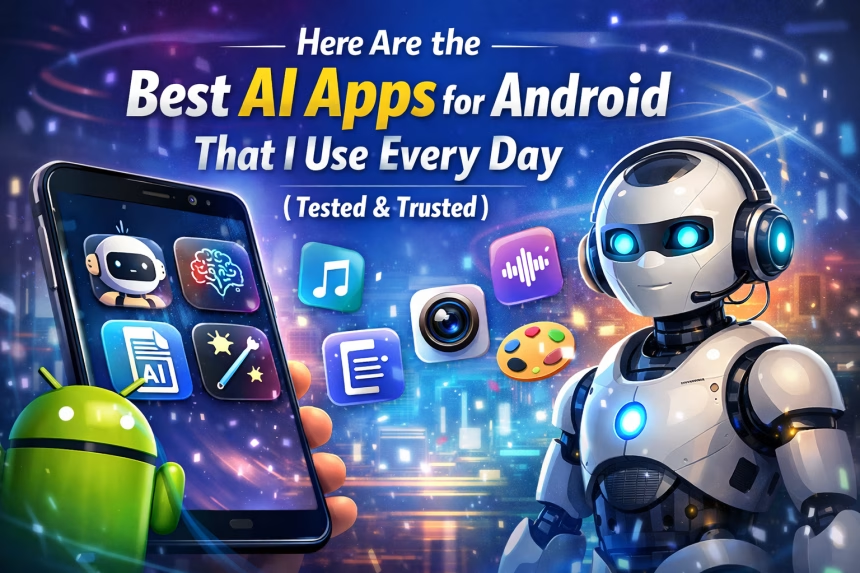
What Are the Best AI Apps for Android I Use Daily?
If you’re searching for “Here Are the Best AI Apps for Android That I Use Everyday”, the short answer is this: ChatGPT, Google Gemini, Grammarly, Microsoft Copilot, Lensa AI, Otter.ai, and Notion AI are the AI apps I personally use every single day on my Android phone. They help me write faster, think smarter, edit content, create images, manage work, and save hours of time—all directly from my smartphone.
- What Are the Best AI Apps for Android I Use Daily?
- Why AI Apps on Android Are a Game Changer in 2026
- 1. ChatGPT – The AI App I Use the Most
- 2. Google Gemini – Best AI for Android Users
- 3. Grammarly – AI Writing Assistant I Trust
- 4. Microsoft Copilot – The AI Assistant for Work and Productivity
- Notion AI – Analogous to Having Yourself as an App
- Otter.ai – The Best AI App for Voice Transcription & Meeting Minutes
- Lensa AI – Best App For Editing Photos Using AI Technology
- Comparison Table: Best AI Apps for Android
- Conclusion
- Frequently Asked Questions (FAQ)
Now let’s break down why these apps matter, how they’re different, and which one you should use.
Why AI Apps on Android Are a Game Changer in 2026
AI apps are no longer “nice to have.” They’ve become daily productivity tools. From writing emails and social media posts to generating images, summarizing meetings, and correcting grammar—AI apps turn your Android phone into a personal assistant, editor, and creative partner.
I’ve personally tested dozens of AI apps, and the ones listed below are the only ones that earned a permanent place on my phone.
1. ChatGPT – The AI App I Use the Most
Best use: Writing, brainstorming, coding help, explanations.
Platform: Android.
Daily usage: Versatility.
ChatGPT is my favorite AI to use for a wide range of tasks. I often use ChatGPT to:
- Create Blog entries and YouTube video scripts.
- Create Search Engine Optimisation (SEO) Titles/Descriptions.
- Explain Difficult Topics in Clear, Plain Language.
- Fix Errors in Computer Programming Code and To Learn New Coding Skills.
What I Really Like About ChatGPT Is Its Contextual Recognition of the User’ s Conversation and That’s Why I Find It So Helpful For Content Creation and Learning.
2. Google Gemini – Best AI for Android Users
Type of user: Search and Research, voice command
Compatible platforms: Android (integrated with Google)
Gemini is like “Google Search on steroids.” I mainly use it for:
Searching for information/information quickly, asking questions using voice, using smart summaries, and combining both Gmail and Google Docs into a single app that performs multiple functions.
Because of its close integration with Android devices, it feels streamlined and fast. Gemini is very useful for people who spend most of their time in Google applications.
3. Grammarly – AI Writing Assistant I Trust
Best Uses for: Writing – Grammar – Tone – Clarity
Grammarly types (with Android Keyboard + App) for you while you write:
- Correcting your grammar mistakes
- Improving clarity of sentences to help with readability
- Altering the tone of messages to make them professional or friendly depending on circumstance.
I use Grammarly every day to help me with;
- Email correspondence
- Social Media postings
- Editing Blog Drafts
Grammarly is not only for grammar correction, but also helps you feel more intelligent and confident in your writing skills.
4. Microsoft Copilot – The AI Assistant for Work and Productivity
Best Uses for: Work Productivity (Office Documents), Research
Platform: Android
If you use Microsoft Word, Excel, PowerPoint, or Outlook to do your job, then the following list of ways to use Microsoft Copilot will help you:
- Summarizing (creating a summary from) large documents
- Drafting professional emails quickly and easily
- Drafting reports fast and easily
Microsoft Copilot is perfect for those who work in offices or as freelancers because of how effectively it helps users produce more content quickly.
Read also: Best Tws under 2000
Notion AI – Analogous to Having Yourself as an App
Best Uses for: Organizing Notes- Planning Ideas- Creating Idea Management Systems
Platform: Android
Notion AI helps me;
- Organize my ideas into logical categories
- Create content outlines based upon my notes
- Summarize lengthy notes
- Develop project plans
If you struggle with inability to be organized, or being prone to overthinking your plans, then using Notion AI is like having an extra brain that retains those thoughts.
Otter.ai – The Best AI App for Voice Transcription & Meeting Minutes
Best Uses for: Voice Recording- Meeting Transcription
Platform: Android
There are many ways for Otter.ai to be helpful. For Example:
- Recording Meeting Minutes
- Transcribing Lectures
- Capturing Ideas While on The Go
Read also: Best Neckband under ₹1000
Lensa AI – Best App For Editing Photos Using AI Technology

Best Uses: Enhancing AI-Based Photos
Available Platforms: Android
- With Lensa AI, you can take advantage of the power of AI to:
- Enhance Pictures of People
- Replace Picture Backgrounds
- Lighten Up or Darken Your Picture
- Create Different Types of Styled Photos
If you are a Creator, Influencer, or Business Owner, Lensa AI will save you many hours of editing your photos.
Read also: Best Neckband under ₹1000
Comparison Table: Best AI Apps for Android
| AI App | Best Use Case | Daily Use Level |
|---|---|---|
| ChatGPT | Writing & Ideas | ⭐⭐⭐⭐⭐ |
| Google Gemini | Research | ⭐⭐⭐⭐ |
| Grammarly | Editing | ⭐⭐⭐⭐⭐ |
| Copilot | Office Work | ⭐⭐⭐⭐ |
| Notion AI | Organization | ⭐⭐⭐⭐ |
| Otter.ai | Transcription | ⭐⭐⭐ |
| Lensa AI | Photo Editing | ⭐⭐⭐ |
Conclusion
After my everyday daily experience of using these applications, I confidently believe these applications provide increased productivity, less stress, and the ability to process information more quickly. For those who are students, professionals, creators or entrepreneurs; now the time has come that these applications are no longer optional for anyone using Android devices.
Frequently Asked Questions (FAQ)
Yes, most top AI apps follow strict data security standards. Always check permissions.
Most offer free versions with optional premium upgrades.
ChatGPT, Google Gemini, and Notion AI.
ChatGPT, Grammarly, Lensa AI, and Otter.ai.