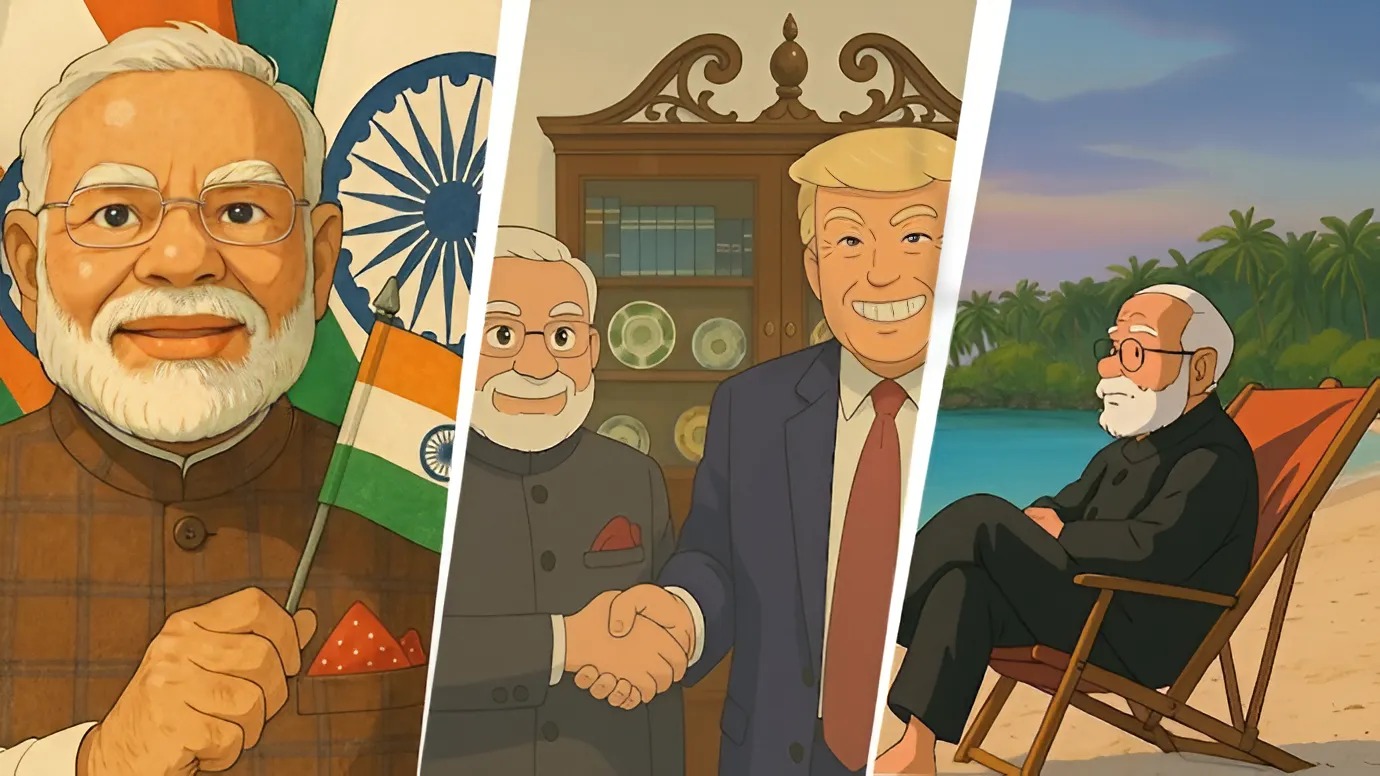
Key Highlights (✨):
- How to Generate Ghibli-Style AI Portraits Using Grok 3: 5 Simple Steps 🚀
- What is Studio Ghibli? The Magic Behind the Art 🏯
- Why Use Grok 3 for Ghibli-Style AI Portraits? 🤖
- The Viral #GhibliStyle Trend: Why Everyone’s Obsessed 🌐
- Troubleshooting Your Ghibli-Style AI Portraits 🛠️
- What’s Next for AI and Studio Ghibli? 🔮
- Final Thoughts: Create Your Ghibli Magic Today! 🎇
- Step-by-step guide to create Ghibli-style AI portraits using Grok 3—no ChatGPT Plus required!
- What is Studio Ghibli? Explore the legendary studio behind Spirited Away and My Neighbor Totoro.
- Free & easy method to join the viral #GhibliStyle trend on social media.
- Tips to refine your AI-generated art for that perfect Studio Ghibli look.
- Why Grok 3 is a game-changer for anime fans and digital artists.
How to Generate Ghibli-Style AI Portraits Using Grok 3: 5 Simple Steps 🚀
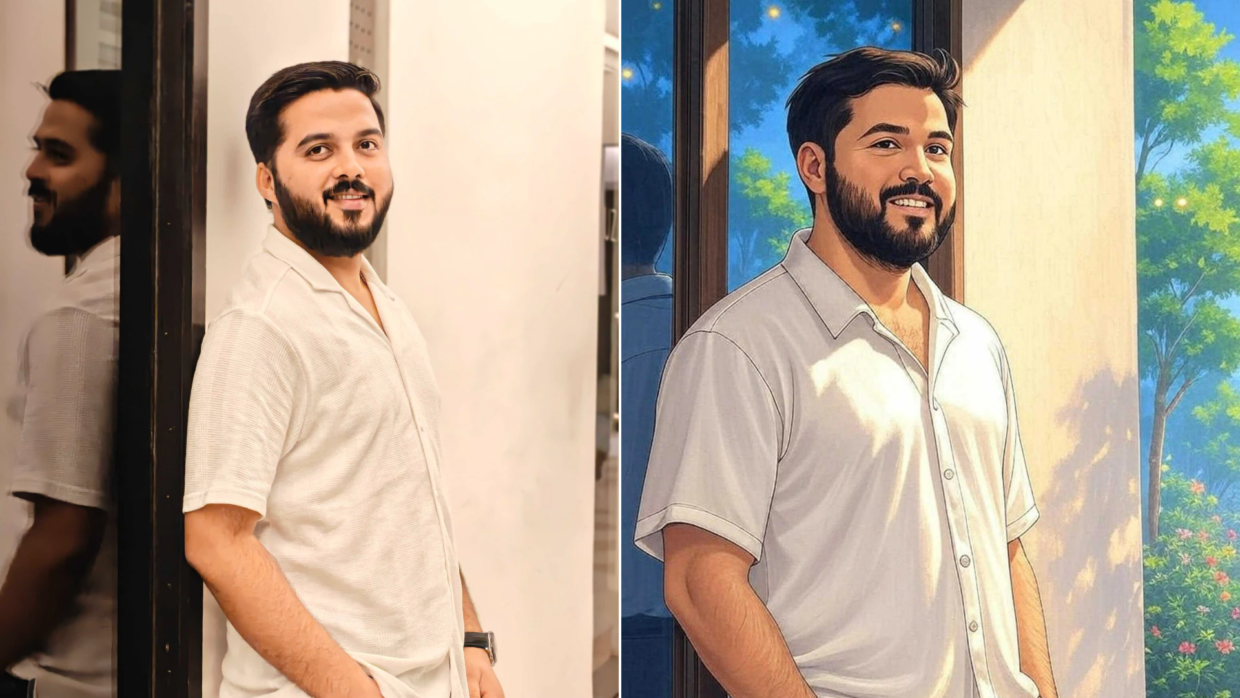
The internet is buzzing with Ghibli-style AI portraits! 🎉 Thanks to Grok 3, xAI’s advanced chatbot, you can now turn ordinary photos into Studio Ghibli-inspired masterpieces without paying for ChatGPT Plus. Here’s how to generate Ghibli-style AI portraits using Grok 3 in just 5 steps:
- Open Grok 3
- Go to the Grok website or open the X (Twitter) app and tap the Grok icon.
- Ensure you’re using Grok 3 (the latest model) for the best results.
- Upload Your Image
- Click the paper clip icon (📎) at the bottom left.
- Choose a clear, well-lit photo. Portraits with simple backgrounds work best!
- Write the Magic Prompt
- Type: “Transform this image into Studio Ghibli-style animation. Use soft colors, dreamy backgrounds, and whimsical details.” 🧙♂️
- Add specifics like “Studio Ghibli’s Spirited Away style” for better customization.
- Generate & Refine
- Grok 3 will create your Ghibli-style AI portrait in seconds!
- Not satisfied? Use Grok’s edit tool to adjust colors, add sparkles, or tweak details.
- Download & Share
- Save your artwork and post it with #GhibliStyle to join the trend! 🌟
Pro Tip: Check out our guide on How to Fix Blurry AI Art for polished results!
What is Studio Ghibli? The Magic Behind the Art 🏯
Before diving into how to generate Ghibli-style AI portraits using Grok 3, let’s answer: What is Studio Ghibli? Founded in 1985 by Hayao Miyazaki, this Japanese studio is the Disney of anime, known for:
- Hand-drawn animation: No CGI—just breathtaking, labor-intensive art.
- Dreamlike stories: Films like Spirited Away and Princess Mononoke blend fantasy with deep emotions.
- Iconic aesthetics: Soft pastels, lush forests, and quirky characters (Studio Ghibli’s official site).
The Ghibli image trend celebrates this unique style. Fans use AI tools like Grok 3 to recreate its magic, turning selfies into scenes from a Miyazaki film! 🎥
Why Use Grok 3 for Ghibli-Style AI Portraits? 🤖
While OpenAI’s ChatGPT charges $20/month for image generation, Grok 3 offers a free alternative to create Ghibli-style AI portraits. Here’s why it’s perfect:
- No subscriptions: Use it for free via X (Twitter).
- Speed: Generates images in under 10 seconds.
- Customization: Edit prompts like “Add Totoro in the background” for personalized art.
Example Prompts:
- “Make this photo look like a Studio Ghibli movie still with glowing fireflies.”
- “Ghiblify this image with Howl’s Moving Castle vibes.”
The Viral #GhibliStyle Trend: Why Everyone’s Obsessed 🌐
From Instagram to X (Twitter), users are obsessed with Ghibli-style AI portraits. Even OpenAI CEO Sam Altman changed his profile picture to a Ghibli-fied version! 🧑💻 Here’s why:
- Nostalgia: Studio Ghibli fans love seeing their lives reimagined in Miyazaki’s world.
- Aesthetic appeal: The soft, ethereal style suits everything from weddings to pet photos.
- AI accessibility: Tools like Grok 3 make it easy for non-artists to create stunning work.
Fun Fact: The trend started after OpenAI’s GPT-4o added image editing, but Grok 3 made it free for all! 🆓
Troubleshooting Your Ghibli-Style AI Portraits 🛠️
Not getting the perfect result? Try these fixes:
- Adjust lighting: Add prompts like “sunset glow” or “mystical mist.”
- Add Ghibli elements: Request “flying castles” or “forest spirits.” 🌳
- Use high-quality photos: Blurry images = blurry art.
For more tips, read How to Master AI Art Prompts.
What’s Next for AI and Studio Ghibli? 🔮
As AI evolves, tools like Grok 3 will make it easier to emulate Studio Ghibli’s style. Imagine:
- Anime filters for videos.
- Custom Ghibli avatars for gaming.
- AI-assisted animation for indie creators.
Until then, keep experimenting with how to generate Ghibli-style AI portraits using Grok 3—it’s the closest thing to living in a Miyazaki film! 🌈
Final Thoughts: Create Your Ghibli Magic Today! 🎇
Now that you know how to generate Ghibli-style AI portraits using Grok 3, it’s time to unleash your creativity! Whether you’re a Studio Ghibli superfan or an AI art newbie, this trend is all about fun, nostalgia, and beauty. Don’t forget to tag your posts with #GhibliStyle—you might go viral! 🚀
👉 Explore More:
Happy creating! ✨