


How To Embed an Instagram Post?

Praveen Kumar Ganesan
Praveen Kumar Ganesan also called as GPKUMAR is the visionary Founder of Inavit Studio and Inavitnews, where technology meets storytelling. With a passion for innovation and...
1 Min Read

If you would like to share Instagram photos or videos on a web page or blog, this tutorial will teach you how to do so. You will learn how to easily retrieve the embed code of any Instagram post by connecting to the web-based version of the site.

Retrieve the Embed Code of an Instagram Photo/Video

Open your web browser, connect to Instagram, and sign in with your username and password. Browse for the desired photo or video. Once found, click the Menu button (3 horizontal dots) displayed at the bottom-right corner of the selected post and click Embed:

Click Copy Embed Code to copy the code to your clipboard:
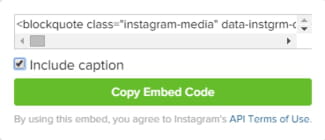
Next, paste the embed code in the desired location.

Share This Article
Praveen Kumar Ganesan also called as GPKUMAR is the visionary Founder of Inavit Studio and Inavitnews, where technology meets storytelling. With a passion for innovation and digital transformation, Praveen blends creativity with strategic thinking to craft compelling tech, gaming, and news content that resonates with a global audience.
0 0 votes
Article Rating
Subscribe
Notify of
guest
0 Comments
Oldest
Newest Most Voted
0
Would love your thoughts, please comment.x
()
x



