Like many devices, Android phones offer an autocorrect feature whose job it is to correct your typing and spelling mistakes. It’s not a fool-proof feature and can, sometimes, annoy people by correcting terms that seem like mistakes but actually aren’t.
If you’d like to disable your Android device’s autocorrect feature, this tutorial will help.
Disable Autocorrect Feature in Android
Go to Settings > Input & Language, and untick the Spelling correction option:
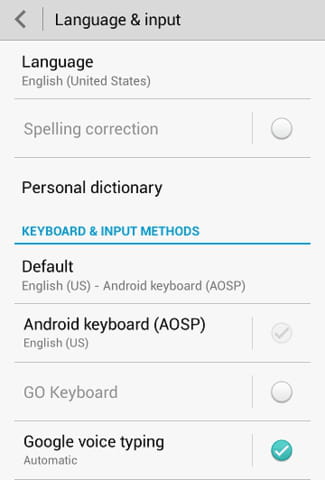
Depending on the version of Android used, this option may not be available. If this is the case, you may disable autocorrect directly from your current keyboard settings.
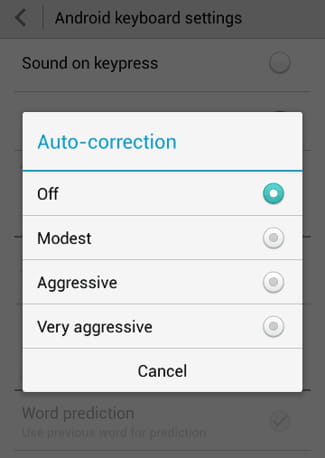
To do so, tap your default keyboard, and scroll to TEXT CORRECTION > Auto-correction:

You can either disable autocorrection or adjust the level by choosing between Off, Modest, Aggresive, and Very Aggressive.