



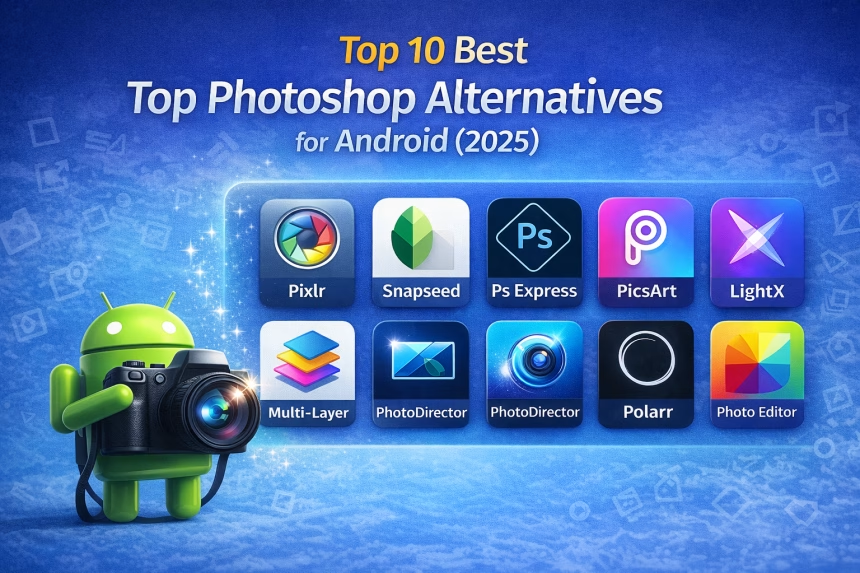
Adobe Photoshop is powerful, but it’s not always practical on Android devices. Fortunately, several Android photo editing apps now offer Photoshop-like features, including layers, filters, retouching tools, and advanced adjustments without requiring a PC.
Below are the top 10 best Photoshop alternatives for Android in 2025 that are still actively used, reliable, and suitable for both beginners and advanced users.
1. Pixlr
Pixlr remains one of the best Photoshop alternatives for Android in 2025. It offers a clean interface with powerful editing tools such as layers, overlays, blending modes, and advanced filters.
Key Features:
- Layer editing and merging
- Filters, overlays, and effects
- Easy-to-use interface
- Suitable for quick and advanced edits
- Download
Best for: Users who want Photoshop-style editing on mobile
2. Snapseed
Snapseed, developed by Google, is a professional-grade photo editor that continues to be one of the most trusted editing apps on Android.
Key Features:
- Advanced tools like healing, curves, masking, and brushes
- Non-destructive editing
- Clean and intuitive UI
- High-quality filters
- Download
Best for: Professional photo editing and fine control
3. Adobe Photoshop Express
Photoshop Express is Adobe’s official lightweight mobile editor, focused on fast, high-quality edits.
Key Features:
- Crop, rotate, flip, adjust
- Filters and effects
- One-tap fixes
- Works with Adobe Creative Cloud
- Download
Best for: Quick, reliable edits with an Adobe brand experience
4. PicsArt Photo Editor
PicsArt is a powerful and creative photo editor widely used for both casual and artistic editing.
Key Features:
- Advanced retouching and filters
- Brush tools and drawing features
- Collage maker and stickers
- Layer support
- Download
Best for: Creative editing, social media content, and designs
5.LightX Photo Editor
LightX provides advanced editing features including layer support, blending, and selections.

Key Features:
- Layers and blending modes
- Background change tools
- Dodge & burn
- Flexible editing
- Download
Best for: Layer-based editing on Android
6. Multi-Layer – Photo Editor
Multi-Layer – Photo Editor is a lesser-known app but a strong Photoshop alternative due to its support for true multi-layer composition.

Key Features:
- Multiple layer editing
- Image composition tools
- Similar workflow to Photoshop
- Lightweight and focused
- Download
Best for: Layer-based photo composition
7. PhotoDirector
PhotoDirector by CyberLink combines powerful editing tools with an easy-to-use interface.
Key Features:
- Color correction and tone adjustment
- AI-based editing features
- Object removal and overlays
- Supports multi-image editing
- Download
Best for: Advanced edits with user-friendly controls
8. Polarr Photo Editor
Polarr is a feature-rich editor that offers advanced controls similar to desktop Photoshop.
Key Features:
- Layer editing support
- Professional color grading tools
- Custom filters and textures
- Masking and blending modes
- Download
Best for: Users who want professional-level adjustments
9. Fotor Photo Editor
Fotor is a popular all-in-one photo editor suitable for quick edits and creative work.

Key Features:
- Filters, effects, and color tools
- Layer support
- Built-in collage maker
- Easy to use
- Download
Best for: Beginners and fast photo editing
10. Photo Editor Pro
Photo Editor Pro offers a wide range of modern editing tools in a simple interface.
Key Features:
- 100+ filters and effects
- Body and face retouch tools
- Text, stickers, and overlays
- Easy learning curve
- Download
Best for: Everyday photo editing and social media use
In 2025, Android photo editing apps have reached a level where many tasks once reserved for Photoshop can now be done entirely on a smartphone. Whether you need layer-based editing, professional adjustments, creative effects, or portrait retouching, these apps offer reliable Photoshop alternatives on Android.
Choose the app based on your needs:
- Closest to Photoshop: Pixlr, Polarr
- Professional editing: Snapseed, PhotoDirector
- Creative & social content: PicsArt, Photo Editor Pro
- Beauty editing: Fotor
