



The Touchpad can sometimes be accidentally disabled on your laptop, or you may disable it because it’s overly responsive.
If you would like to switch it back on or shut it off, this tutorial will walk you through the necessary steps.
Turn On/Off the Touchpad on a Laptop
To reactivate your touchpad, first try restarting your PC.
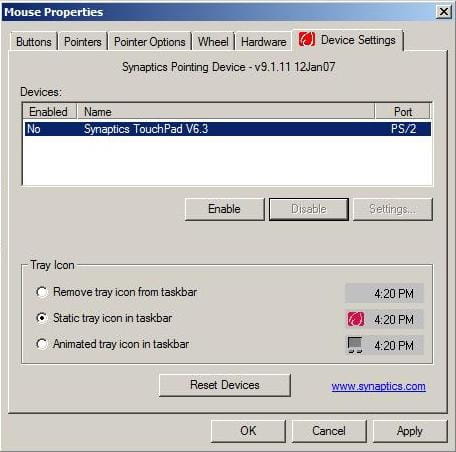
If that doesn’t help, go to Control Panel > Mouse > Settings > Enable (or Disable to disable):
N.B. On some models, there is a keyboard shortcut to activate or deactivate the touchpad. For example, on an ACER machine, press FN + F7. Some newer laptops include a dedicated button to perform this manoeuvre.
