- 🧠 What Is RAM?
- 💾 What Is ROM?
- 🆚 What Are the Difference Between RAM and ROM? (Quick Table)
- 🔍 Why RAM and ROM Are Designed Differently
- 👨💻 Developer Insight (Short Story)
- 📱 Real-World Examples You’ll Recognize
- ⚡ Why More RAM Makes Devices Faster
- 🔐 Why ROM Is Essential Even Though It’s Slower
- 🧩 RAM vs ROM – Which Is More Important?
- 📘 Best Practices (For Students & Tech Learners)
- 🔗 Helpful Resources (Authoritative Links)
If you’re researching what is difference between RAM and ROM, you’re probably trying to understand how computers store and access data. You’ll see the phrase what is difference between RAM and ROM in textbooks, exams, and hardware guides because it’s one of the most fundamental concepts in computer science.
This article gives you a clear, friendly, and example-driven explanation—perfect whether you’re a student, tech enthusiast, or preparing for an interview. Let’s break it down.
Difference Between QWERTY vs. AZERTY Keyboards

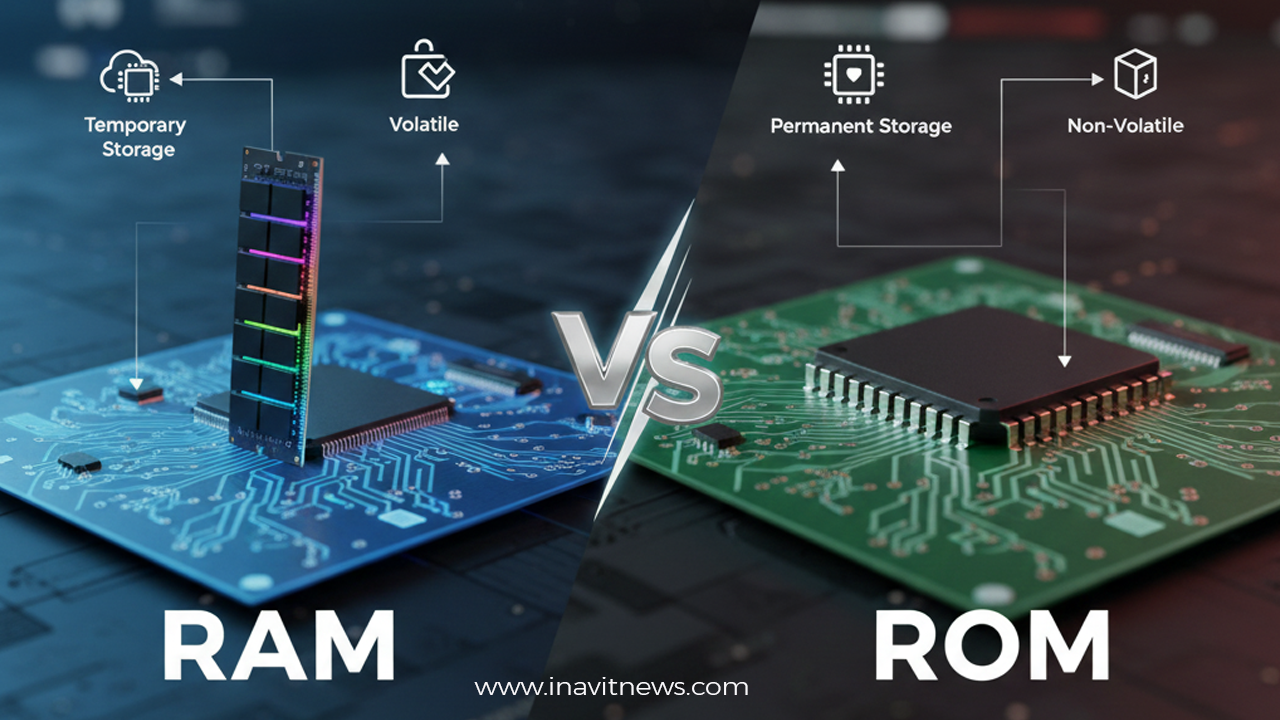
🧠 What Is RAM?
RAM (Random Access Memory) is the temporary memory a computer uses to run apps and processes right now.
Think of RAM like a whiteboard.
You write on it, erase it, rewrite new information—fast.
But once the power is off, everything disappears.
Key traits of RAM
- Volatile – data is lost when power turns off
- Fast – much faster than storage devices
- Used by active tasks – apps, games, browser tabs, OS processes
- Expandable – you can usually upgrade it
Simple example
Opening Google Chrome, a game, or an editing app loads data into RAM for quick access. More RAM = more apps can run smoothly at the same time.
💾 What Is ROM?
ROM (Read-Only Memory) stores permanent instructions that do NOT change frequently.

Think of ROM like a printed book.
You can read it easily, but editing it is difficult or impossible.
Key traits of ROM
- Non-volatile – data remains even after power is off
- Permanent storage – stores boot instructions
- Not used for runtime tasks
- Usually not upgradable by users
Simple example
When you turn on your computer, ROM provides the startup instructions (called firmware or BIOS).
🆚 What Are the Difference Between RAM and ROM? (Quick Table)
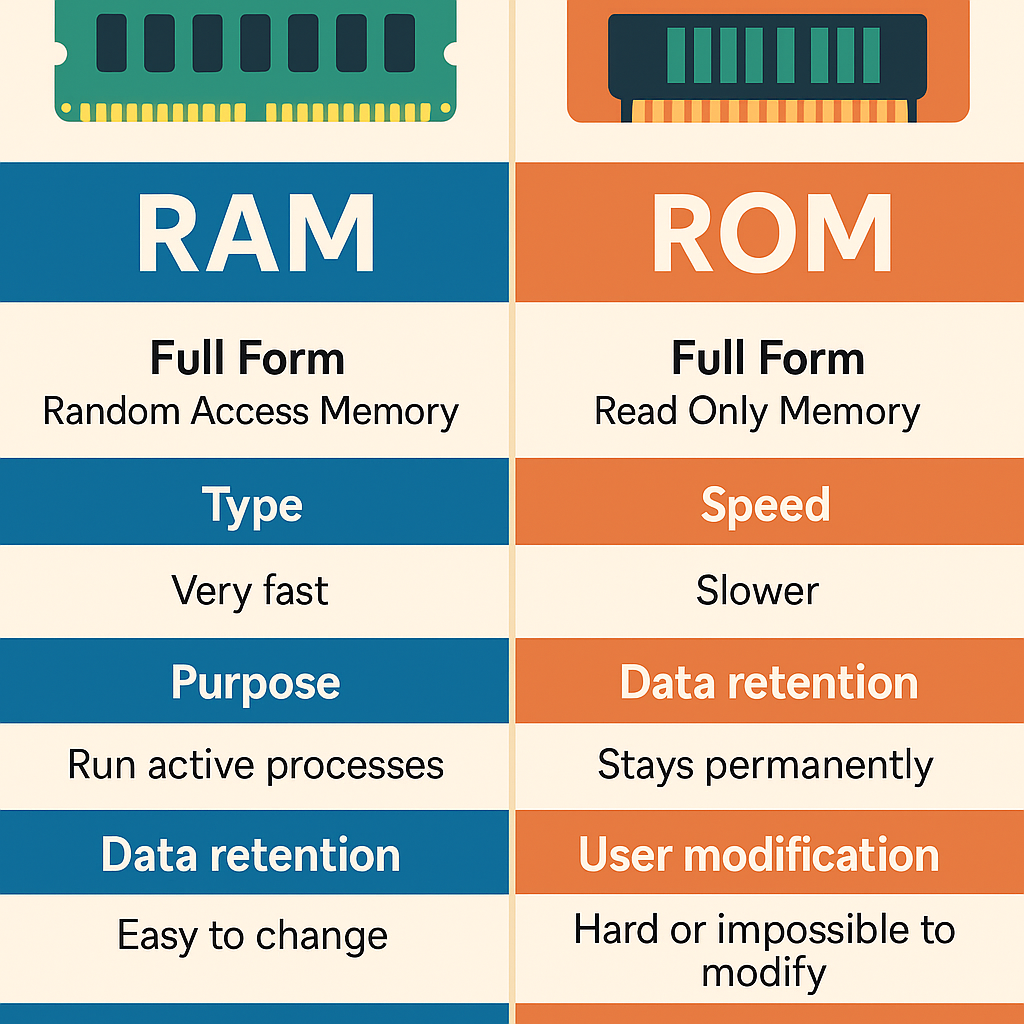
| Feature | RAM | ROM |
|---|---|---|
| Full Form | Random Access Memory | Read Only Memory |
| Type | Volatile | Non-volatile |
| Speed | Very fast | Slower |
| Purpose | Run active processes | Store permanent instructions |
| Data retention | Lost on shutdown | Stays permanently |
| User modification | Easy to change | Hard or impossible to modify |
| Examples | Laptop RAM, phone RAM | BIOS, firmware chips |
🔍 Why RAM and ROM Are Designed Differently
RAM needs to be fast because the CPU constantly reads and writes data during operation. A slow RAM bottlenecks the entire system.
ROM, however, stores critical instructions that must remain unchanged. That’s why it prioritizes stability and persistence over speed.
In many modern devices, ROM is implemented using flash memory, which is rewritable—but still used for permanent storage like boot firmware.
👨💻 Developer Insight (Short Story)
When I built my first operating system experiment as a student, the trickiest part wasn’t writing the code—it was fitting the boot instructions into a tiny ROM space. Any mistake required rewriting the firmware manually, which took hours.
That experience made me appreciate how ROM must be rock-solid, and how RAM, in contrast, is designed for flexibility and speed.
📱 Real-World Examples You’ll Recognize
In a smartphone:
- RAM: Keeps your apps open—switch between WhatsApp, Instagram, YouTube smoothly.
- ROM: Stores Android OS, system updates, and essential files.
In a laptop:
- RAM: Powers multitasking like running Chrome + Word + Photoshop simultaneously.
- ROM: Stores BIOS that helps the system boot.
In a gaming console:
- RAM: Handles game textures, maps, and movements in real time.
- ROM: Stores firmware and sometimes game cartridges (older consoles).
⚡ Why More RAM Makes Devices Faster
Here’s one simple statistic that illustrates why RAM matters:
➡️ Increasing RAM from 4GB to 8GB can improve multitasking performance by up to ~40% (approx.)
When systems run out of RAM, they use slow storage as “virtual memory,” which causes lag.
🔐 Why ROM Is Essential Even Though It’s Slower
ROM protects the system from accidental damage.
If users could easily modify startup firmware, one mistake could make the device fail to boot. Keeping ROM mostly unchangeable ensures safety.
🧩 RAM vs ROM – Which Is More Important?
You need both.
- RAM = performance & speed
- ROM = stability & safe booting
Removing ROM would mean no startup instructions.
Removing RAM means your system can’t run applications.
📘 Best Practices (For Students & Tech Learners)
- Upgrade RAM if your device feels slow with multiple apps.
- Don’t modify ROM or firmware unless you understand the risks.
- For exam answers: always mention volatility, speed, and purpose.
- For interviews: mention real-world examples (BIOS, app loading).
🔗 Helpful Resources (Authoritative Links)
- Wikipedia: RAM — https://en.wikipedia.org/wiki/Random-access_memory
- Wikipedia: ROM — https://en.wikipedia.org/wiki/Read-only_memory
- Intel Developer Docs: https://www.intel.com/content/www/us/en/developer.html